
Organize Your Albums
13 07 2010, Michiel van Vlaardingen on PicturePushSome of our PicturePush users had problems organizing their albums properly. Therefore we introduce: Album Groups.
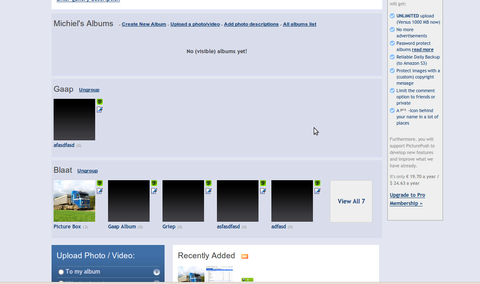
To add albums to a group, you can click the 'edit' icon next to an album and then choose 'Add to Group'. This will open a dialog to choose the group name (or an existing group) Grouped albums will show under a seperate group header on your gallery index.
05 07 2015: Export Excel files
17 03 2011: Brand New Observu Coming
14 12 2010: Print Details